
Trust
What Flow reads, what it sends, and what an organisation can see.
This is the one trust page for Ascenda. It covers Flow, the Mac app an engineer runs for themselves, and the Signal Wall, the rules for what an organisation may ever be told.
Flow reads your AI tools' local history and live activity on your Mac. What it sends is counts, timings and tool events, never your prompts, code or model outputs. Your journal and reflections stay on your Mac unless you turn on sync.
Last updated 5 October 2026 · version 1.0
01
What Flow reads
Flow reads how much the work asked from the tools you already use. What it can't read, it asks you: how it felt. To do the first part, it reads more on your Mac than it ever sends.
- Your AI tools' local history. If you allow it, Flow imports the history Claude Code, Codex, Cursor and VS Code already keep on your Mac, so its first read covers weeks you have already worked. Each tool's history is a separate permission.
- Live activity. Hooks and an editor extension for Claude Code, Codex, Cursor and Gemini CLI report events as you work: tool calls, file writes, permission prompts, context compaction, sessions starting and ending.
- App switches. Which app is in front, and when, so Flow can show how often your attention moved.
- Your calendar, if you connect it. Used to count meetings and place them in your day.
- What you tell it. Your check-ins, your clarity ratings, and your journal.
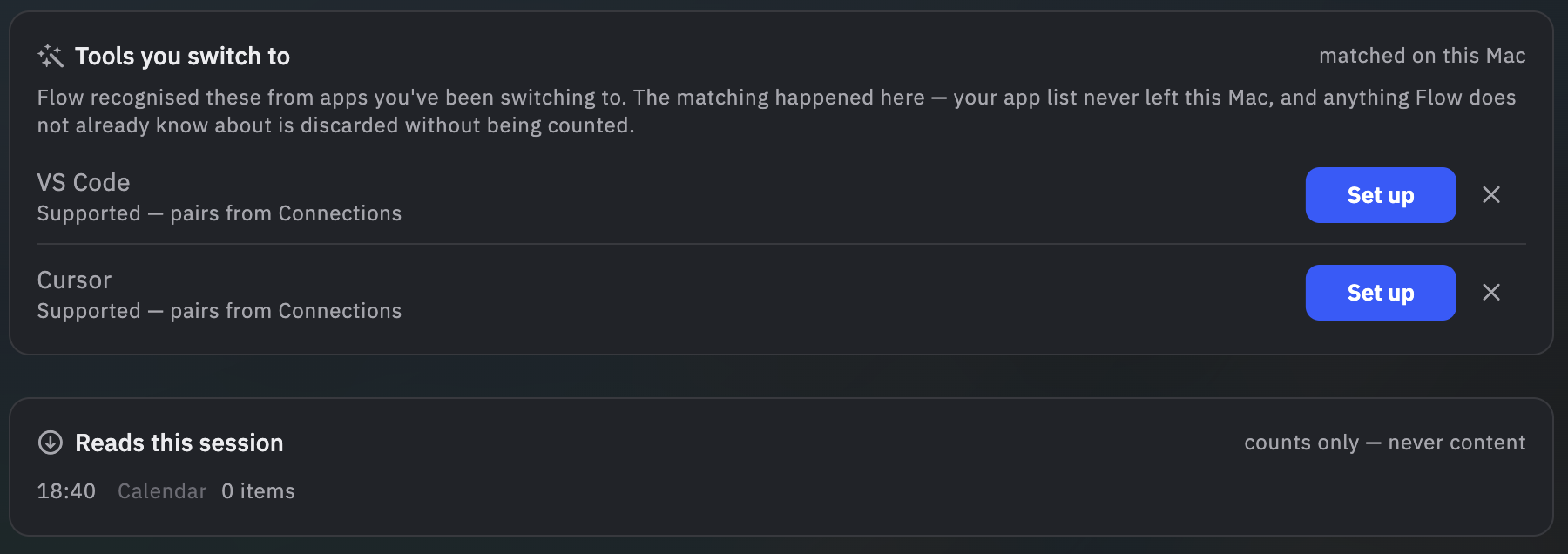
To count something, Flow has to read it. On your Mac, Flow reads your AI tools' transcripts and tool streams. That is how it can recognise, for example, that a prompt was a correction of the agent's last attempt, or that the same command failed several times in a row. The reading happens on the Mac. The count is what can leave; the prompt is not sent.
02
What Flow does not send
Whatever Flow reads to produce a count, these are not sent:
- Your prompts.
- Your code, file contents or file paths.
- Your AI tools' outputs.
- Repository and folder names in readable form. They leave only as salted hashes, and the salt never leaves your Mac.
- Your journal text, by default. The one way it can leave is the Coach option described in section 04, and only if you turn it on.
- Raw calendar detail: meeting titles, attendees and notes.
03
What stays on your Mac
- Your journal and reflections, your timeline and your check-in history, in a local, SQLCipher-encrypted database.
- The Guide. Flow's on-Mac assistant runs locally and sends nothing. Your conversations with it stay in the same encrypted database.
- The salt and the name map. The random salt used to hash repository and folder names, and the file that says which hash is which folder, are kept on your Mac and are never transmitted.
- Your identity, if you want. Flow works fully without an account. A random guest identifier names the installation, not you.
- Agents you pair locally. If you let an AI agent you already run read your Flow data, Flow serves it on your Mac only, opens no route to us for it, and logs every read. What that agent then does with the data is governed by that agent, not by Flow.
04
What may leave, and when
Each of these has its own condition, and turning one on does not turn on another.
Work telemetry
- What:
- Operational shape: counts, timings and tool events from a fixed list of event types, your clock's offset from UTC, and salted hashes of repository and folder names. No free text.
- When:
- Only for the purposes you grant. Live tool activity, collaboration events, agent-observed patterns and history import are separate consents, and history import is granted per tool. Our servers refuse an event sent under a purpose you have not granted.
Coach chat
- What:
- The message you send, so the Coach (which runs in Ascenda's cloud) can answer it. If you turn on Reflections in summaries, what the Coach receives can include your reflections. Any context pack is shown to you, as the literal payload, before it leaves.
- When:
- Each time you choose to use the Coach. The on-Mac Guide sends nothing.
Check-in sync
- What:
- Each check-in you record, as a reading with its time.
- When:
- Only while sync is turned on.
Weekly summary
- What:
- Counts, averages and ratios computed from what you reported in your check-ins that week. Never the text of anything you wrote.
- When:
- Only if you turn it on. Off by default.
Usage analytics
- What:
- Events from a fixed list built into the app: counts, yes/no values and set options. Your email and licence key are never included. If you have linked an account, these events are linked to it.
- When:
- Off until you turn it on.
Account and licence
- What:
- Linking an account sends the email and name from that sign-in. Redeeming a licence key sends the key once, over TLS, and it is then kept in the macOS Keychain.
- When:
- Only when you link an account or press Redeem. Flow works with no account at all.
An organisation's Report or Study
- What:
- The purposes in the mode you choose. See the next section.
- When:
- Only if you join, and only for as long as you stay in.
05
What an organisation can see: the Signal Wall
An organisation can run an AI Exposure & Work Composition Report (30 days) or Study (90 days). The wall sits at the individual. These rules hold for every report:
- Aggregates only, never below 10 people. A figure is shown only when at least 10 people contribute to it. Below that, it is withheld.
- No manager view of any individual, ever. Not restricted, not on request. It does not exist.
- You are asked once, and you choose. Joining is one question: Report mode or Study mode. Each mode lists, in plain words, every permission it grants before you answer. No mode is preselected, and “Not now” is the default. Each permission can be withdrawn on its own afterwards.
- Currently opt-in only. Today, in every jurisdiction, nobody is counted unless they join. If that changes anywhere, this page will say so first.
- The organisation never learns who joined, who did not, or which mode anyone chose.
What the organisation is told
- Exposure and work composition across the group: how work with AI agents is made up, and how much of it there is.
- Self-reported state, in aggregate. In Study mode, the share of check-ins people placed in each quadrant, and the share of reported pressure framed as challenge rather than threat. These are what people told us in their own check-ins. Each is shown as a direction against the group's own starting point, never as a score band and never for a person.
- Declared changes and their readouts. The organisation declares a change, its measure, baseline and window before acting. The baseline then freezes, and the readout is reported whichever way it goes. A cause is named only when the rollout was designed to show one.
What never reaches an organisation
- Anything about one person, at any level of aggregation.
- Recovery, and any physiology in any form, including averages and derived scores. These stay with the engineer.
- Prompts, code, model outputs, journal text, Coach conversations or calendar detail. None of these is part of any organisation's report.
- A score, ranking or prediction about any person's performance.
Contributions are pseudonymous, and only aggregate figures are reported.
06
Your controls
- Revoke per purpose. Every consent can be withdrawn on its own, at any time, from Flow’s settings. Withdrawing one changes nothing else.
- Leave an organisation's study the same way. You stop being counted from the next report build; reports already issued are not recalled.
- Revoking AI data processing purges the live tool telemetry already held for you.
- Ask us to delete data you have already sent: privacy@ascenda.one.
- Break the link. Deleting the salt file on your Mac (
~/.ascenda/salt) means every hash made afterwards cannot be linked to the ones before.
07
Limits and verification
- Check it yourself. You can verify this page by proxying the app's HTTPS requests, and security researchers are welcome to get in touch.
- Our measures are in calibration, not yet validated.
- Our privacy policy is being updated to describe Flow for Mac. Where it and this page differ, contact privacy@ascenda.one.
- This page is versioned. When anything on it changes, the change will be listed here, with its date and version.